Introduction to the Front-end Editor
The Front-end Editor offers a user-friendly platform for crafting application screens. Adopting a component-based methodology, it simplifies the process of page setup and allows configurations related to user permissions and API integrations.
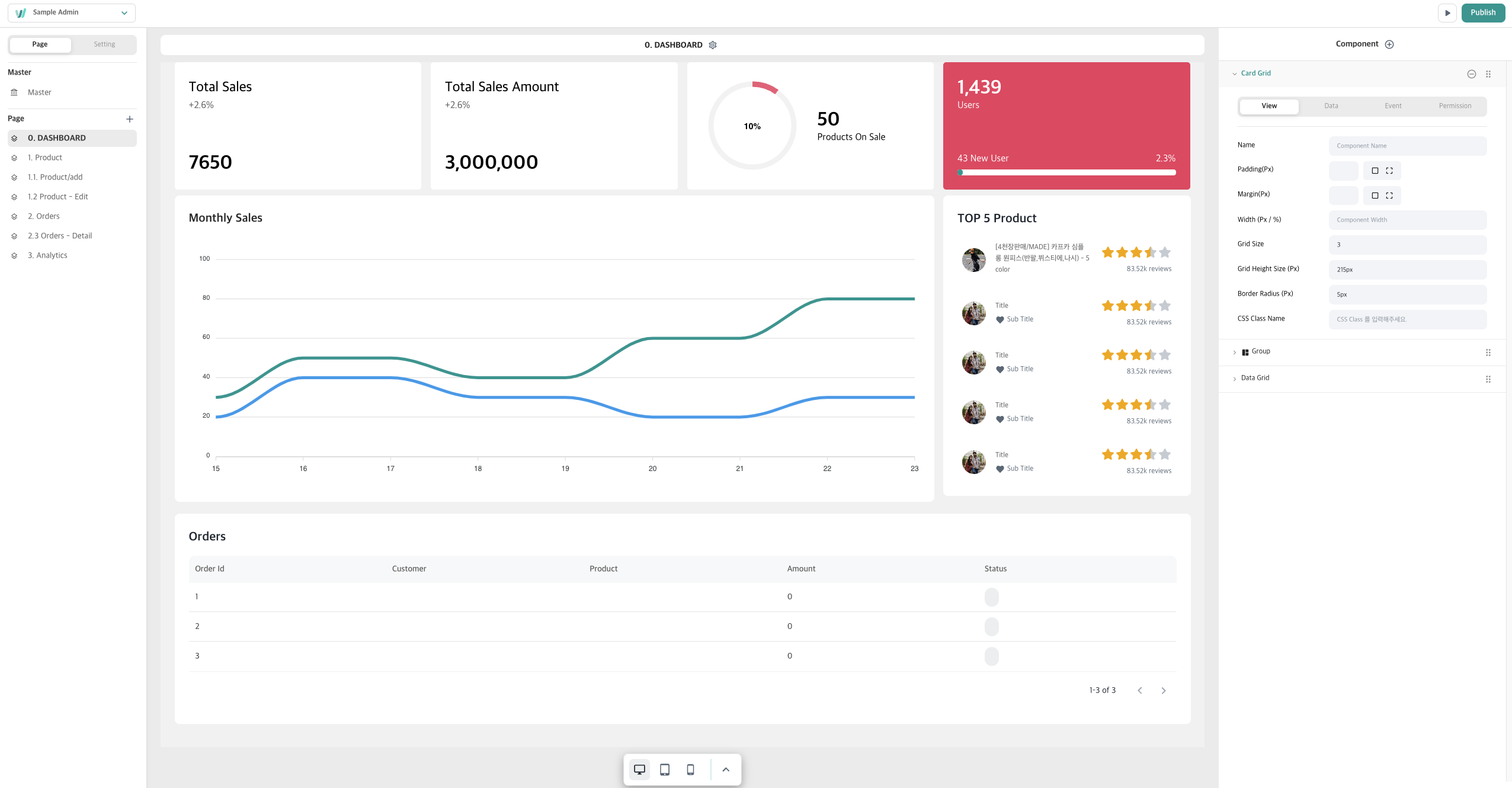
Using the Front-end Editor, developers can design screens without diving into code. WEVY aspires to enable developers to construct applications swiftly and effortlessly.
Layout Overview
Application Configuration Section
PAGE
This section caters to settings pertinent to pages and the application as a whole. The master page feature ensures consistent modifications across all pages of the application.
SETTING
Facilitates adjustments regarding core application details, encompassing foundational information, data binding, permissions, and the media library. For an in-depth guide, [click here].
Preview Section
Provides a real-time glimpse of the components on the page.
Page & Component Configuration Section
Allows granular adjustments for individual pages and components.